
 YouTube
 Join our Discord
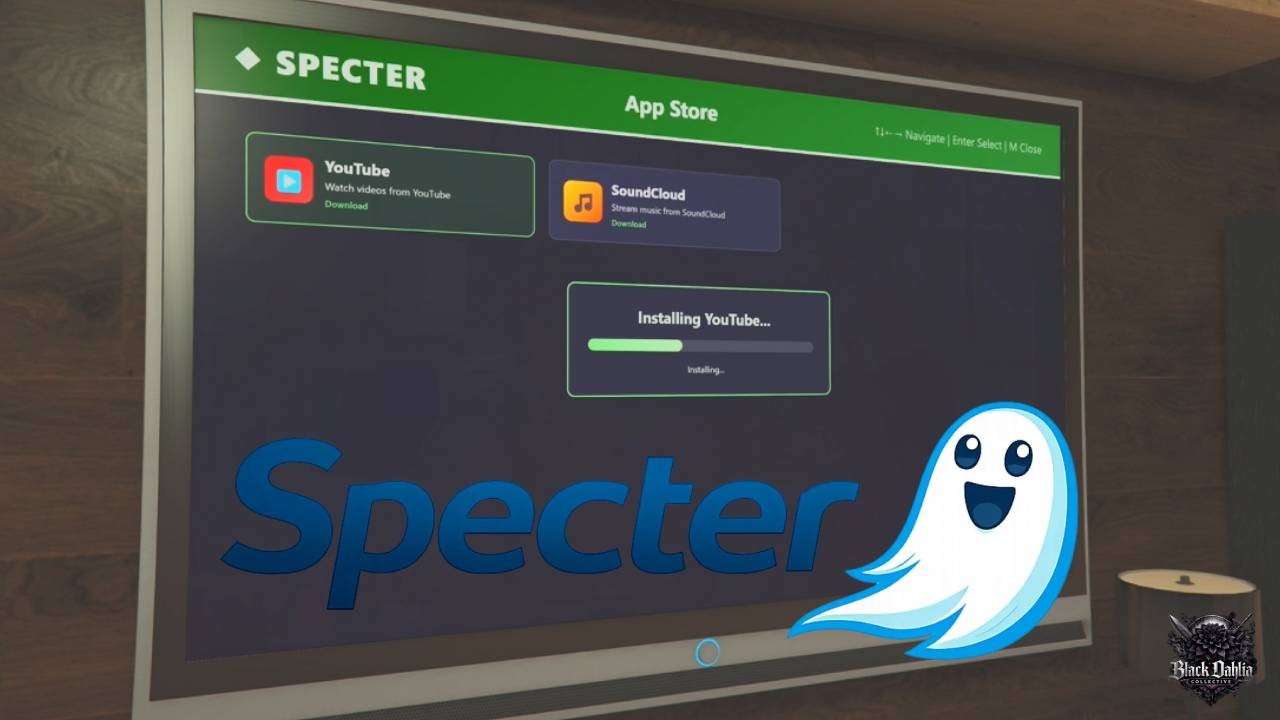
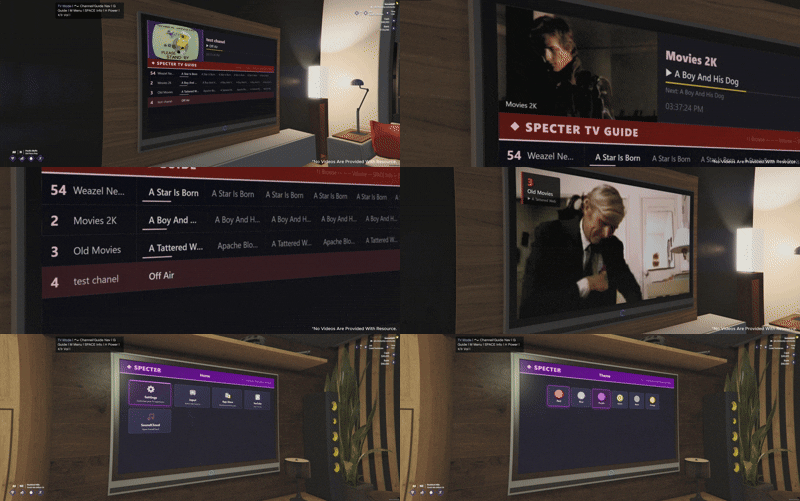
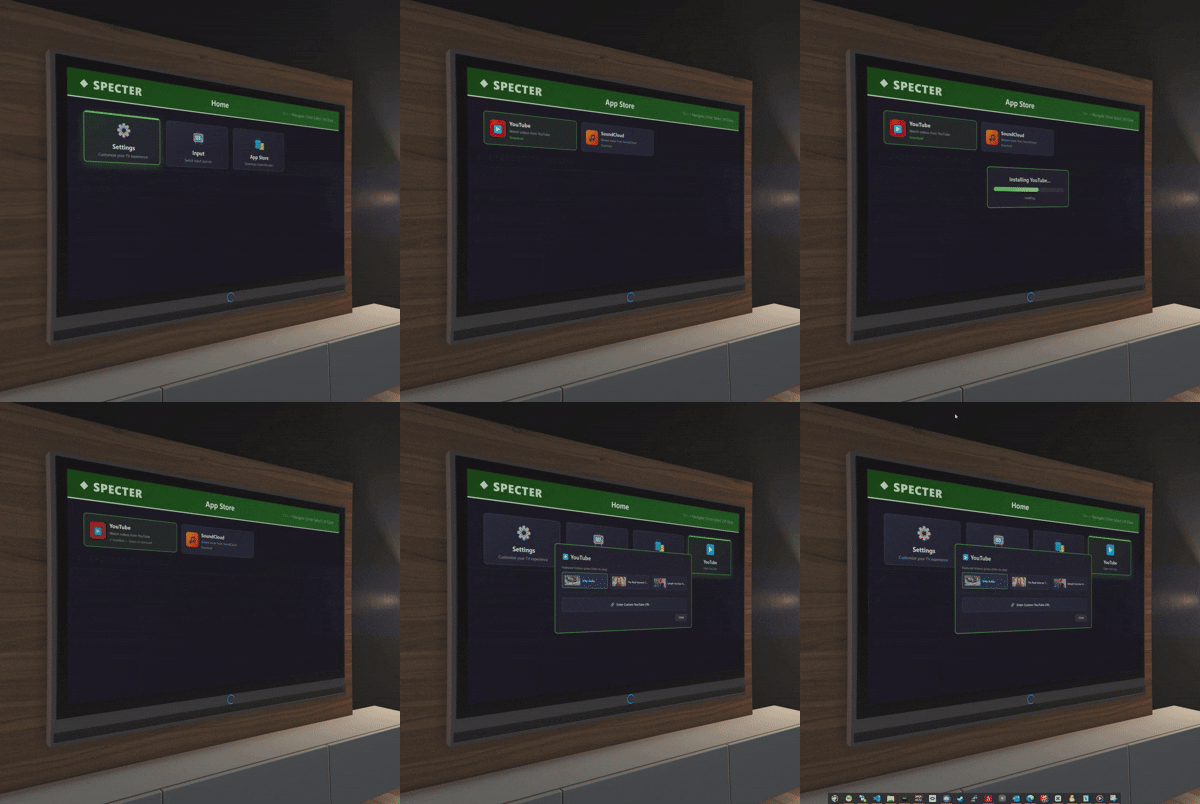
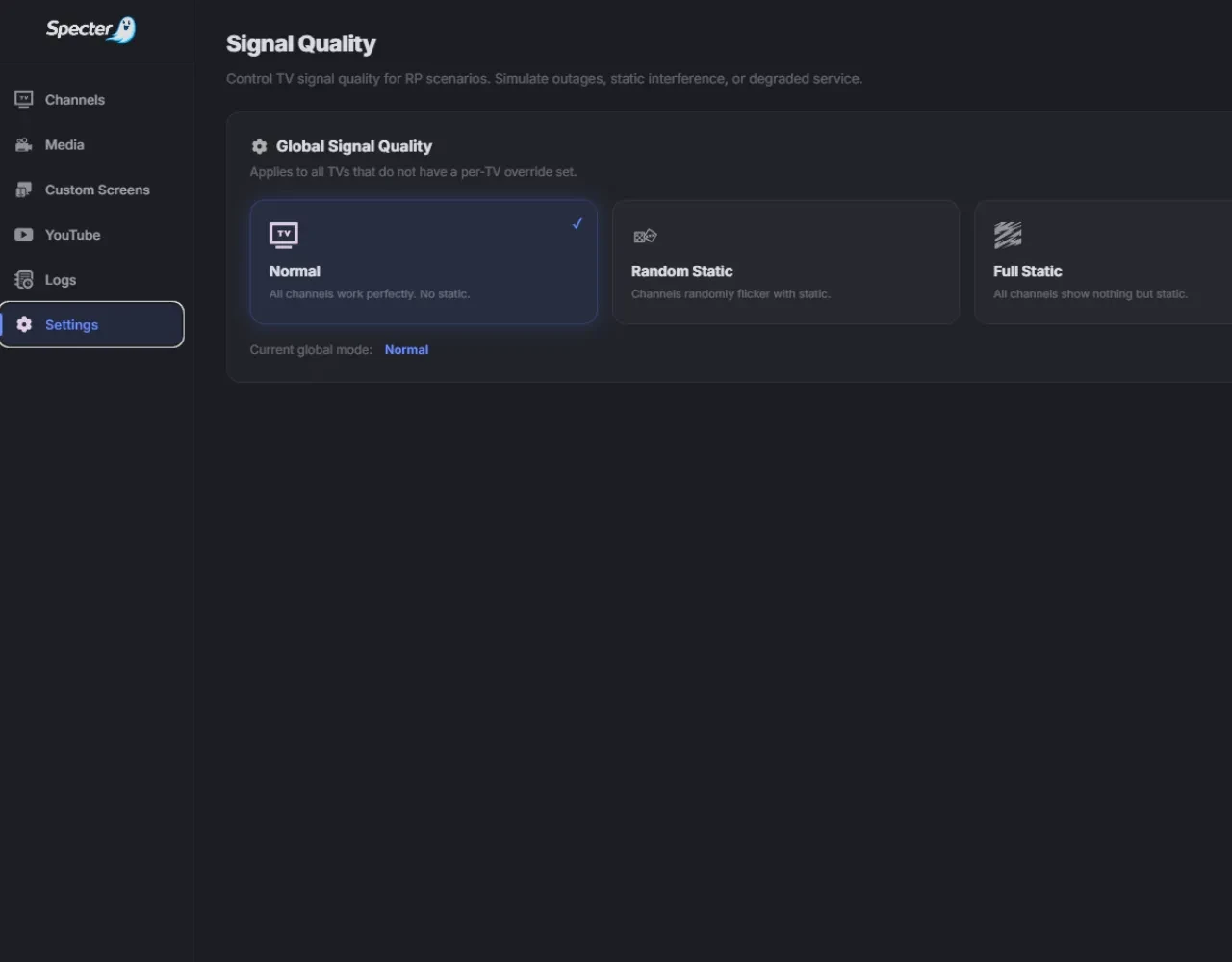
# 📺 Specter — TV & Broadcast Network Simulator
Specter transforms every TV on your server into a synchronized broadcast network with in-game live streaming, scheduled programming, and a full smart TV experience.
This isn’t just a “play a video on a screen” script.
**Specter simulates an actual television network inside your game world.**
---
# 🎬 Preview
https://youtu.be/brVSc9hA76k
---
# ⭐ Key Features
✔ 24/7 scheduled TV channels
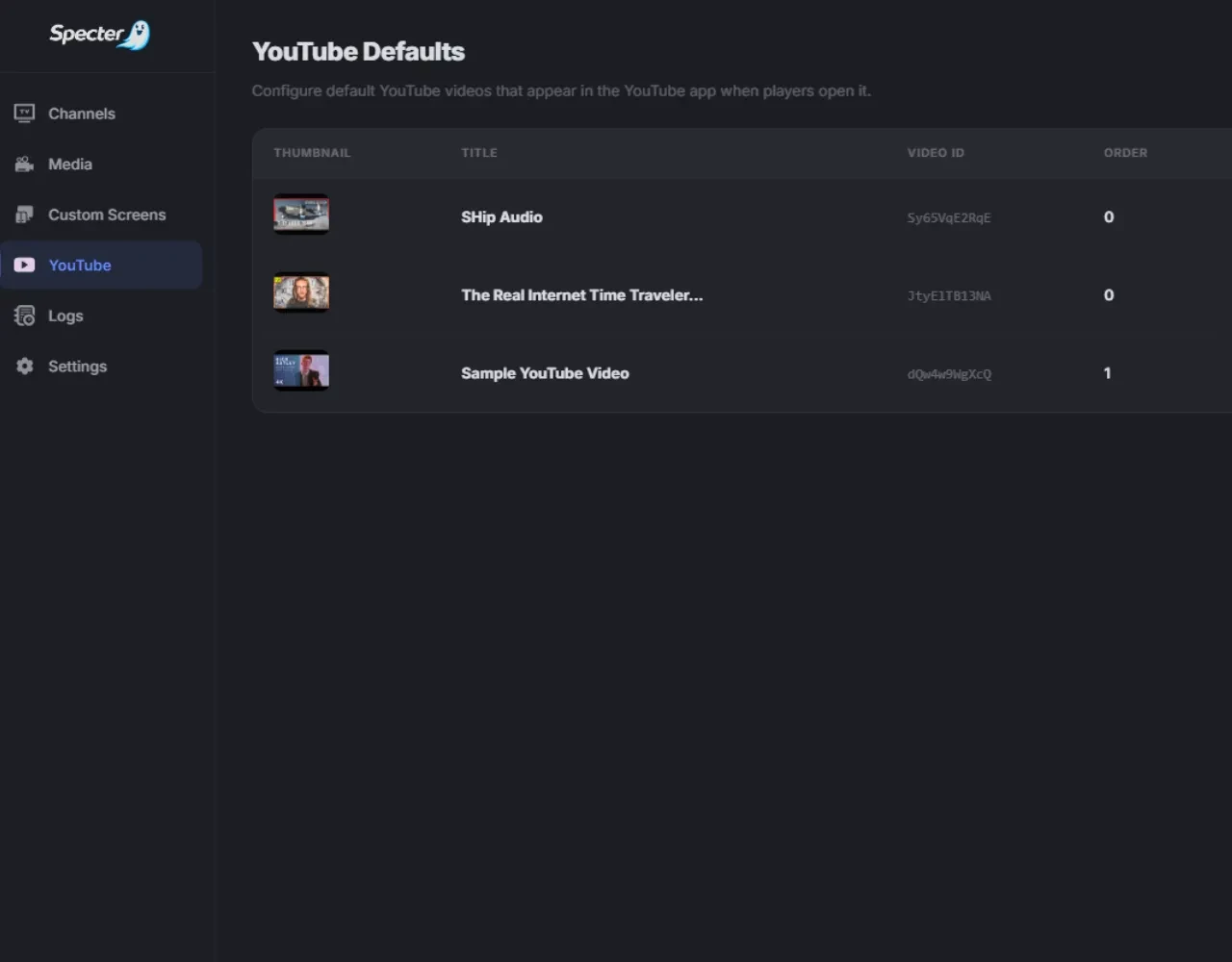
✔ YouTube integration
✔ Live broadcasting with camera prop
✔ Smart TV UI with apps and themes
✔ Per-TV persistent settings
✔ Fully server-authoritative sync
✔ Admin dashboard with schedule editor
✔ Automatic detection of GTA TV props
✔ Proximity audio simulation
✔ Signal quality / static system
---
# 📺 Player Experience
Every TV becomes an interactive **smart TV**.
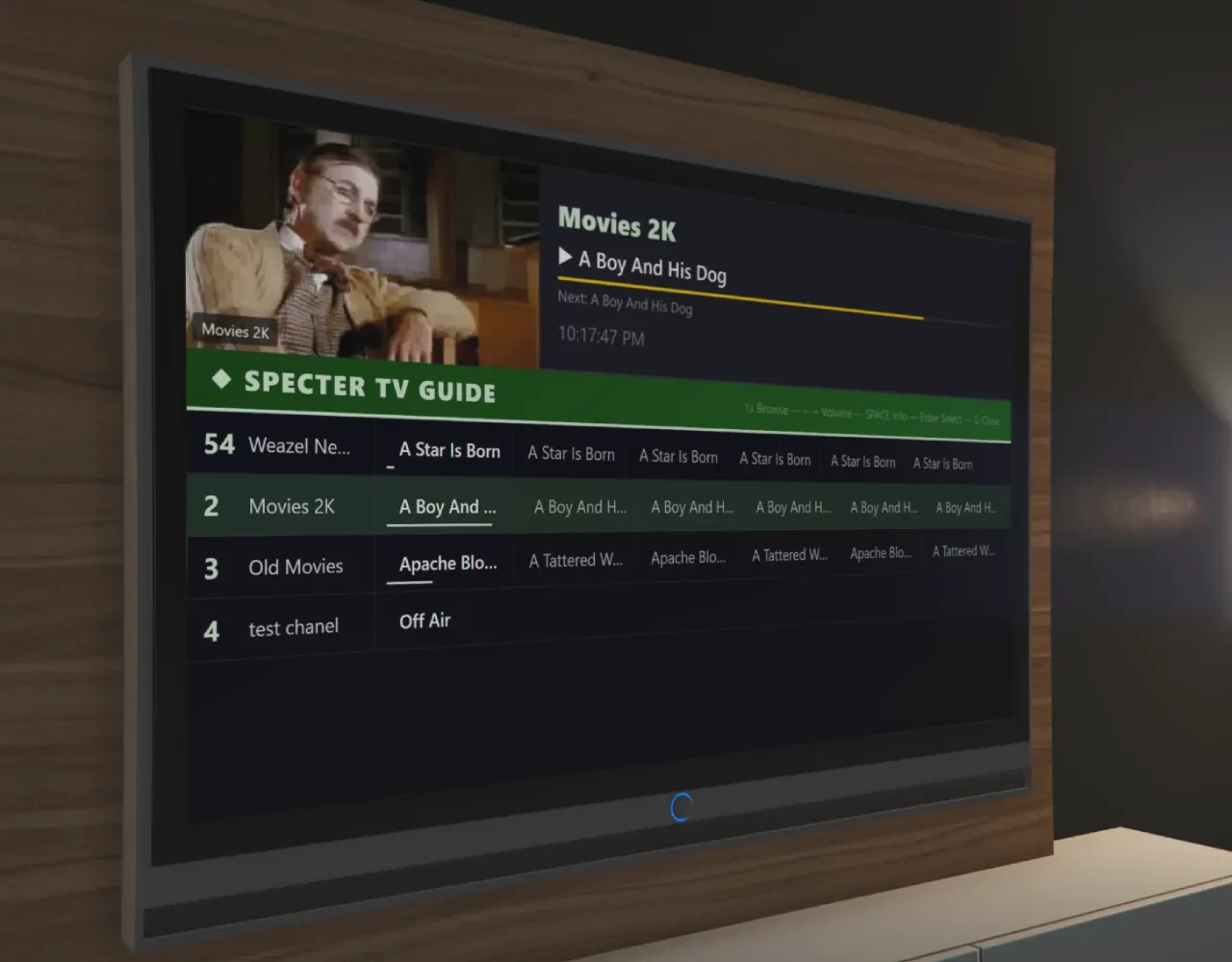
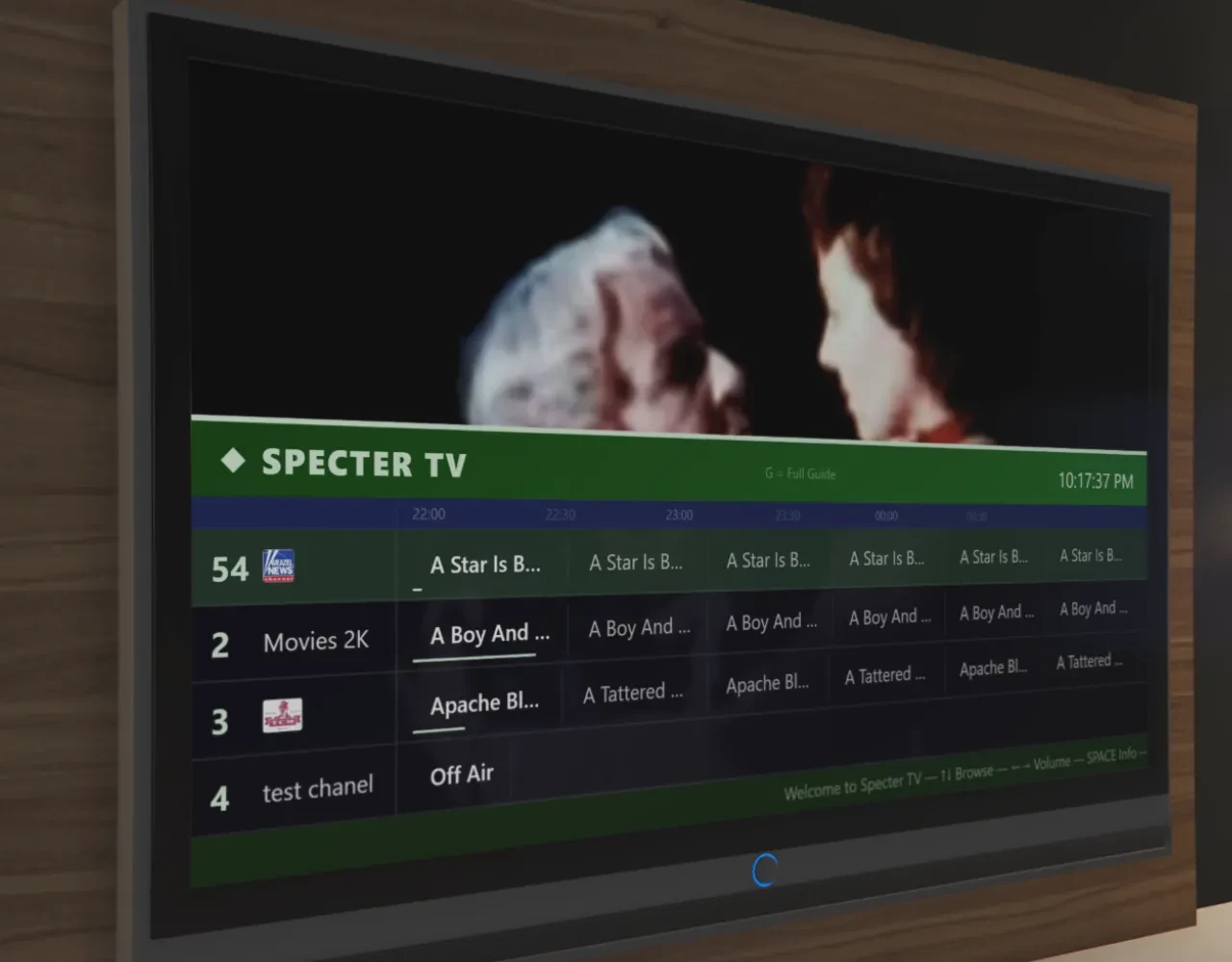
### Channel Guide
- Browse channels with **mini or full guide**
- View **Now Playing / Up Next**
- Switch channels instantly
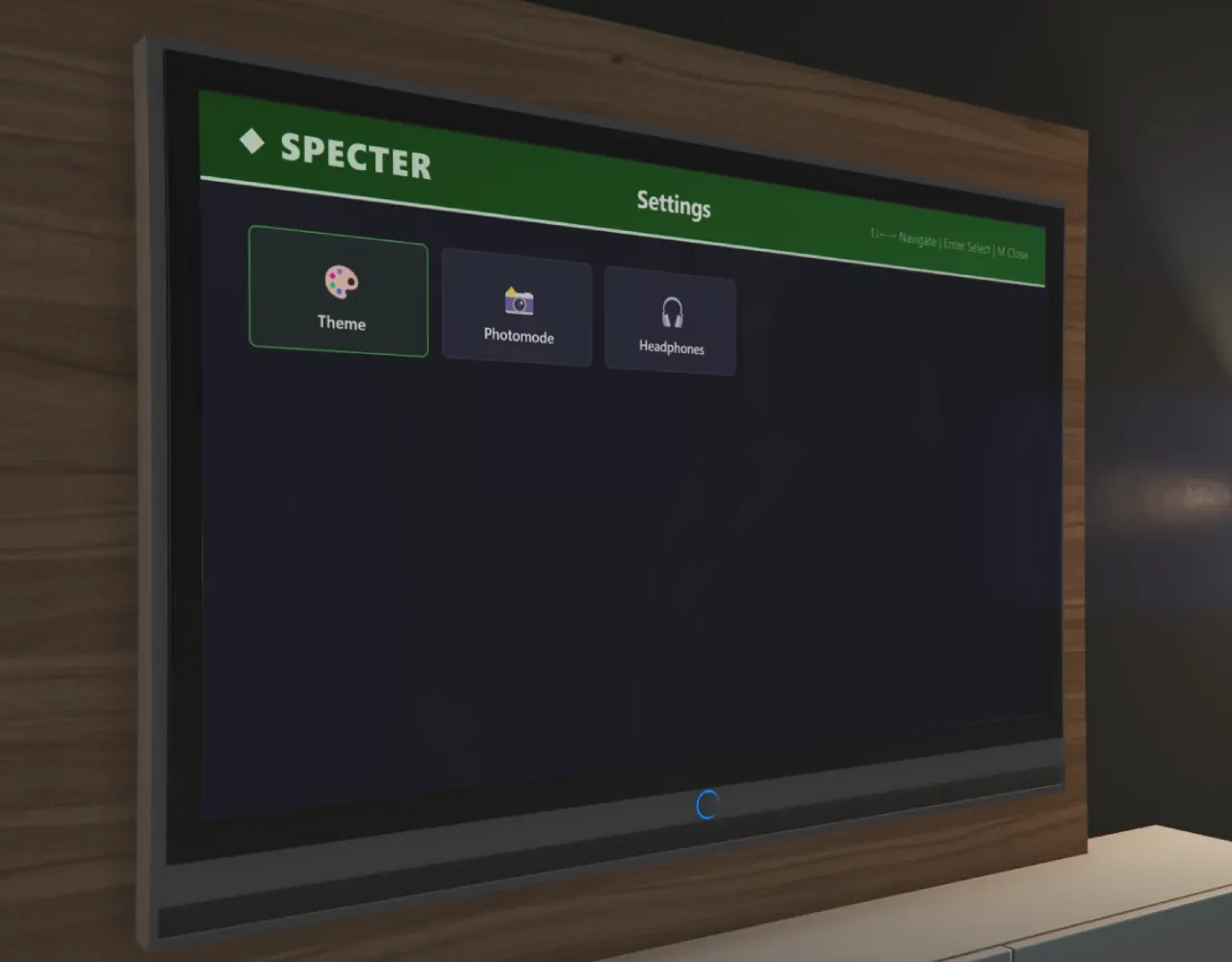
### Smart TV Menu
Press **M** while interacting.
Features:
• Theme picker (6 themes)
• Off-air photo modes
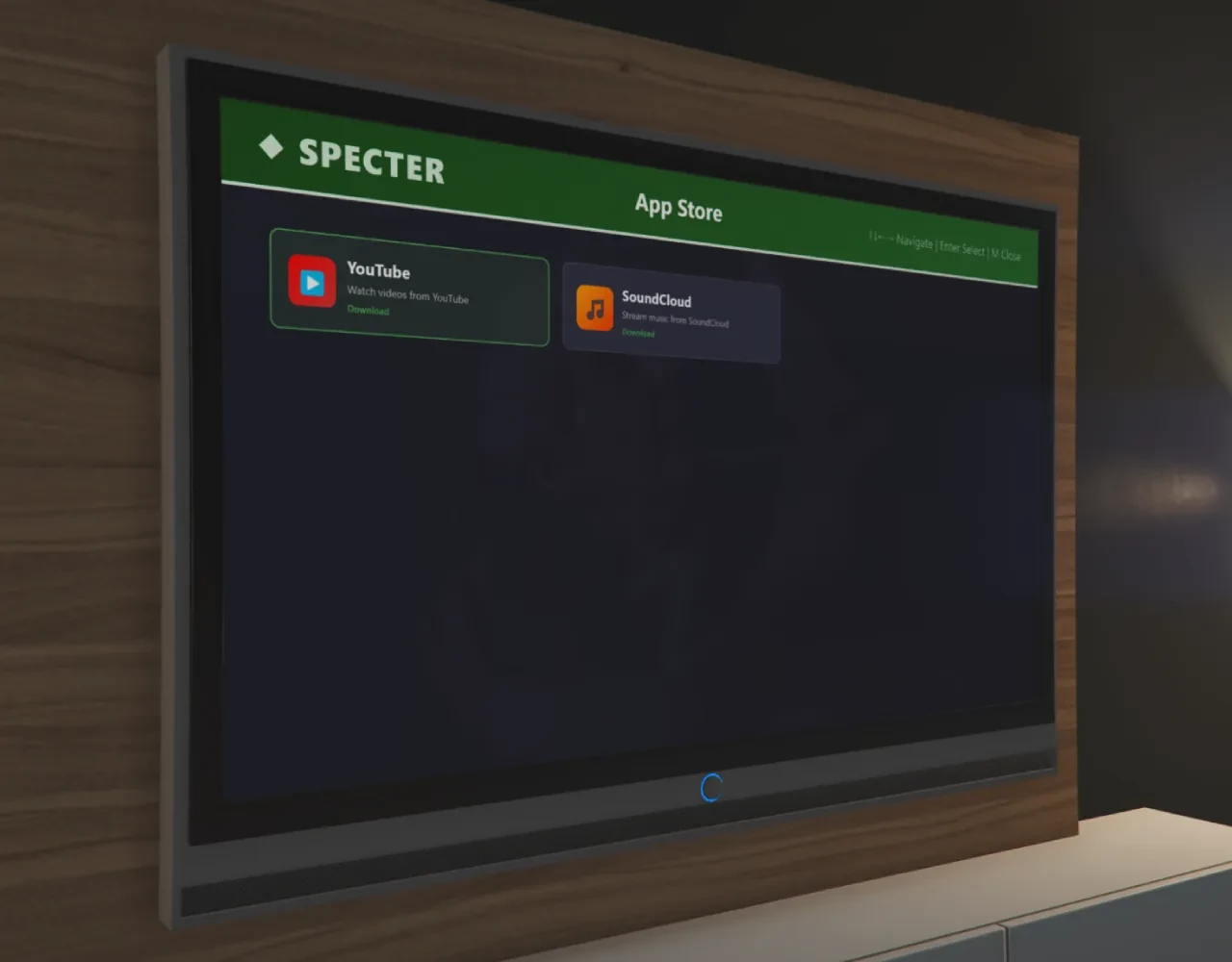
• App Store
• Input switching
• Headphone mode *(coming soon)*
Each TV stores its **own apps, theme, channel, and power state**.
### Built-in Apps
**YouTube**
- Curated videos
- Paste any YouTube URL
- Synced playback across viewers
**SoundCloud**
- Stream music playlists
### Controls
| Key | Function |
|-----|----------|
| E | Interact |
| Arrow Keys | Navigate |
| Enter | Select |
| Backspace | Back |
| G | Guide |
| M | Menu |
| H | Power |
| ← → | Volume |
Interaction automatically ends when walking away.
---
# 📡 Channel & Scheduling
Specter includes a full **broadcast scheduling system**.
### Channels
-
Unlimited channels
-
Logos and categories
-
Sorting and numbering
### Scheduling
Admins build programming using a **visual day-of-week timeline editor**.
Features:
• Drag-and-drop scheduling
• Copy schedules across days
• Loop or fill playback modes
• Media library integration
### Deterministic Playback
Playback is calculated using:
```
schedule + server time
```
This guarantees **perfect sync across all viewers** without constant network updates.
---
# 🔴 In-Game Live Broadcasting
Players can broadcast live using:
```
/specter_live start \
```
A camera prop is spawned and the player streams gameplay directly to TVs on that channel.
### Broadcast Features
• First-person viewfinder
• Zoomable lens (15°–75°)
• Camera prop animations
• REC HUD indicator
• LIVE badge on TVs
### WebRTC Streaming Built-in
Live video is **peer-to-peer WebRTC**. No setup required.
The server handles signaling only — **not video traffic**, keeping server load low.
### Live Broadcast Audio
Broadcast audio integrates with **Mumble**.
Players near the broadcaster or near a TV hear the broadcast with **distance-based fade**.
---
# 🔊 Proximity TV Audio
Each TV supports configurable audio ranges:
• Distance-based volume fade
• Smooth gain transitions
• Per-prop audio ranges
Example:
```
screenRange
interactRange
```
---
# 🧠 Server-Authoritative Architecture
Specter is designed to be fully **server controlled**.
The server manages:
• channels
• schedules
• playback position
• TV state
• installed apps
• signal quality
This prevents **desync, spoofing, and client conflicts**.
---
# ⚙️ Hybrid Render Engine
Multiple rendering modes are supported:
```
auto
cr3dnui_entity
cr3dnui_replace
dui_rt
```
**Auto mode** selects the best renderer for each TV.
---
# 📺 Automatic TV Detection
Specter automatically supports **25+ vanilla GTA TV props**.
Players can interact with TVs instantly — no placement configuration required.
Each detected TV creates a **persistent instance** storing:
• channel
• power state
• apps
• theme
• photo mode
• feature locks
---
# 🛠 Admin Dashboard
```
/specter_admin
```
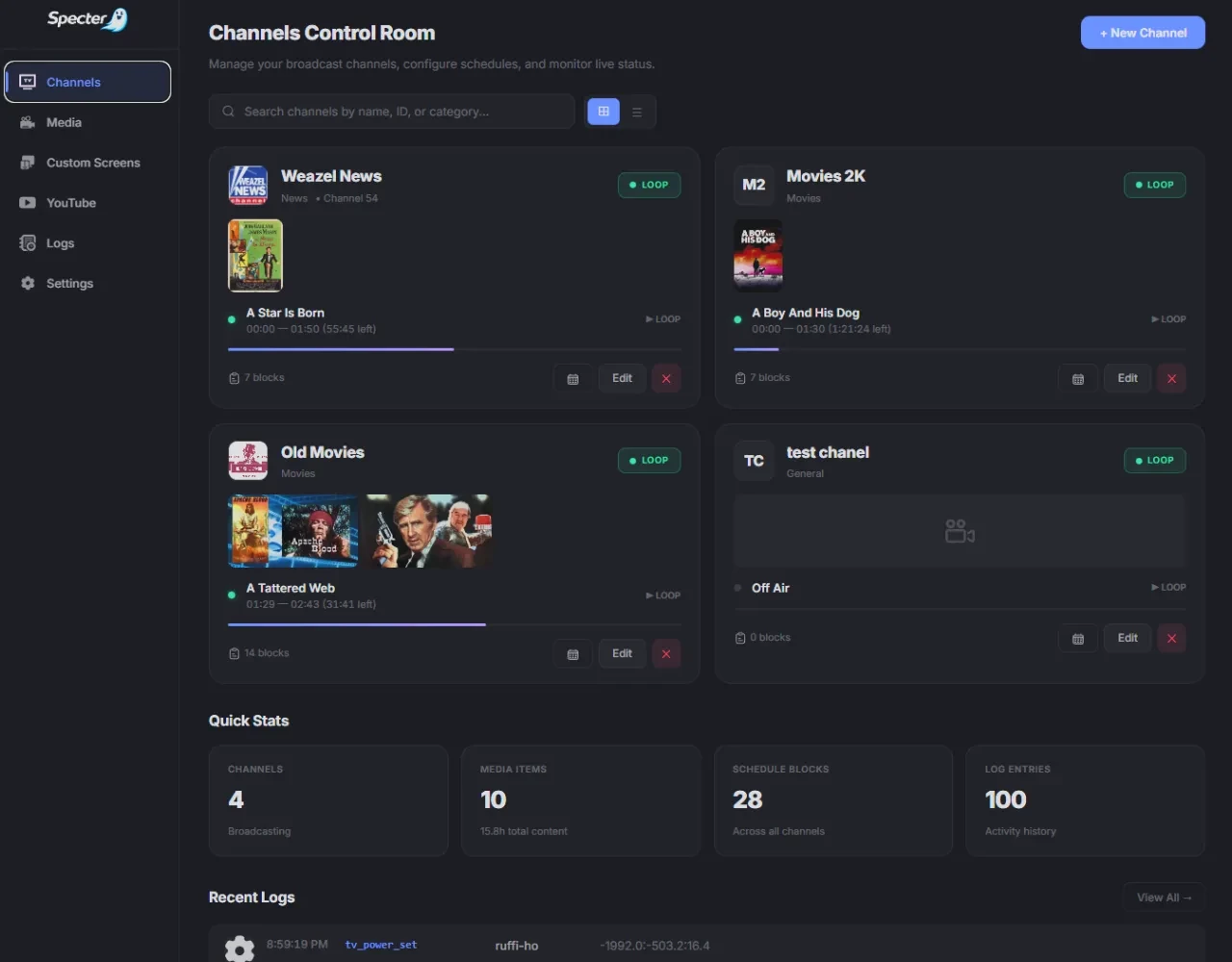
A full NUI broadcast control panel.
**Channels**
- Real-time now playing
- Progress bars
- Grid / table view
**Schedule Editor**
- Drag-and-drop timeline
- Media browser
- Copy-day tools
**Media Library**
- Cover art
- Metadata
- Search & categories
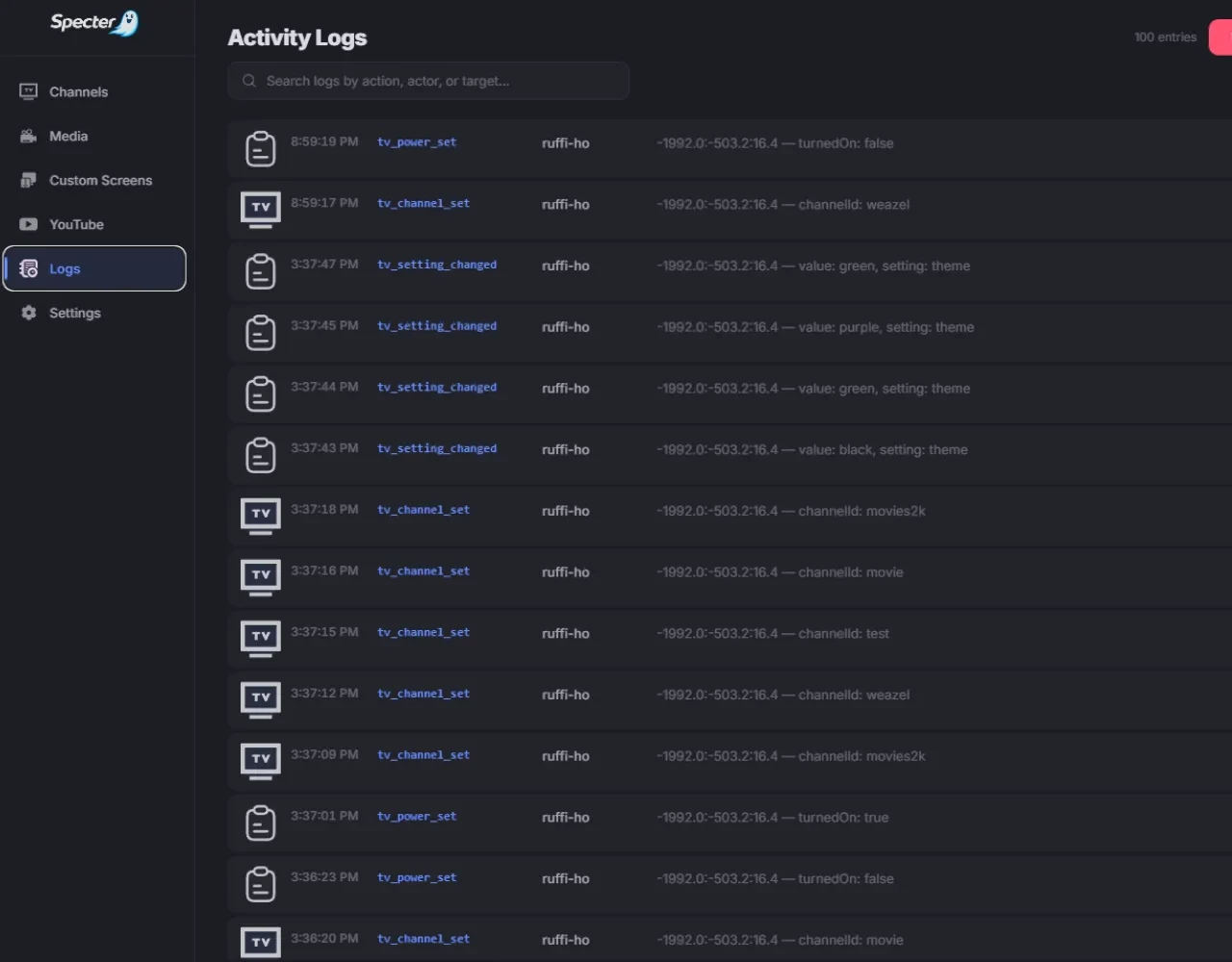
**Logs**
- Full admin activity log
---
# 📡 Signal Quality
Simulate cable signal issues.
Modes:
```
normal
static
random
```
Signal can be controlled:
• globally
• per TV
---
# 🔧 Developer Tools
### Prop Inspector
```
/specter_debug
```
Freecam entity inspector with:
• raycast prop detection
• texture inspection
• TV instance data
• system overview
### Screen Alignment
```
/specter_align
```
Interactive tool for aligning custom screens with move / resize / rotate controls.
---
# 🔌 Integration API
### Server
```lua
exports.specter:GetChannels()
exports.specter:GetChannel(channelId)
exports.specter:GetNowPlaying(channelId)
exports.specter:GetUpcoming(channelId)
exports.specter:StartLive(channelId)
exports.specter:StopLive(channelId)
exports.specter:SetGlobalSignalQuality(mode)
```
### Client
```lua
exports.specter:IsInteracting()
exports.specter:GetInteractEntity()
exports.specter:GetActiveTVs()
```
---
# 🔐 Permissions
Supports:
• ACE permissions
• identifier lists
• hybrid mode
Roles:
• admin
• moderator
• broadcaster
---
# ⚡ Performance
Specter is designed for populated servers:
• deterministic playback
• minimal scheduler updates
• peer-to-peer video streams
• TVs pause rendering when unused
---
# 🔧 Compatibility
Frameworks:
✔ QBCore
✔ Qbox
✔ ESX
✔ Standalone
Targets:
✔ ox_target
✔ qb-target
✔ native interaction
---
# 📦 Dependency
```
cr-3dnui
```
---
# 💻 Commands
| Command | Description |
|--------|-------------|
| `/specter_admin` | Open admin dashboard |
| `/specter_debug` | Toggle prop inspector |
| `/specter_live start/stop` | Start/stop live broadcast |
| `/specter_align` | Screen alignment tool |
---
# 📥 Installation
-
Place
specterin resources -
Install dependency
cr-3dnui
3. Add to server.cfg
```
ensure cr-3dnui
ensure specter
```
- Configure
shared/config.lua
5. Use `/specter_admin` to build channels and schedules.